
Heat Pump: Daily OperationUpdated 7 months ago
Once your FibroPool heat pump is installed, daily use is simple and rewarding. Our heat pumps will keep your pool warm (or cool) with less energy and cost. This guide covers startup, controls, modes, and how to know it's working right
Most models share the basics, but we'll note the differences for fixed-speed models (FH120/135/220/255/270) and inverter models (FH235-i/285-i). Remember to run the heat pump with your pool pump for water flow, and aim 6-12 hours a day in season.
Safety Note: Similar to an HVAC unit, you want to keep your kids and pets clear of the fan, and always power off at the breaker before doing any checks on your unit.
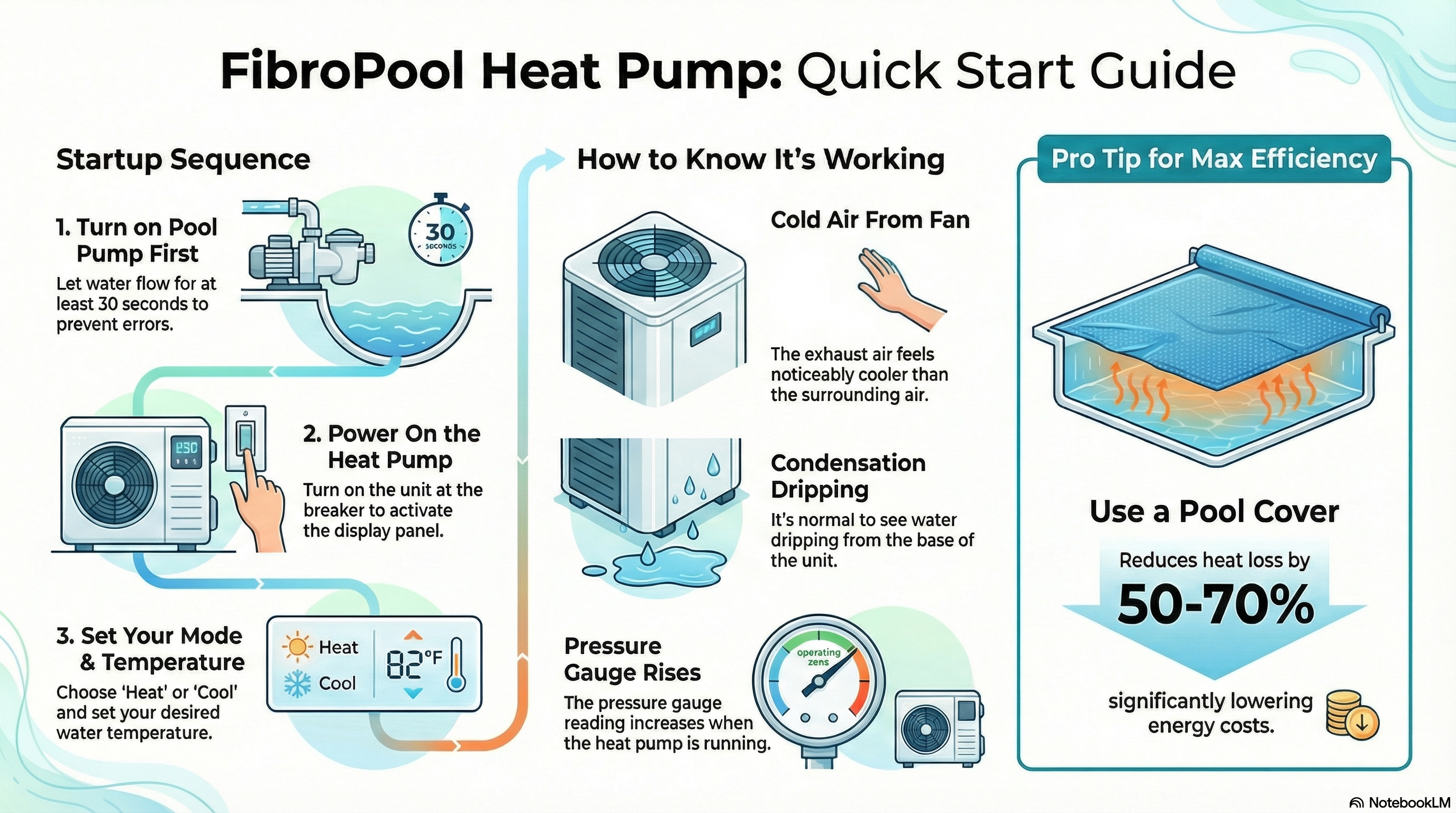
Quick Startup Steps
Pool Pump On First: Let the pool pump run for 30 seconds to get the water flowing. This prevents any errors from running the unit dry.
Power Heat Pump: Once the breaker is on, and the power is properly connected, the display will show information.
Set Mode & Temp: Heat for warm, cool for hot days (available on most).
Monitor Signs It's Working: After 5-15 min you will notice cold air coming from the fan, you may also notice condensation beginning to drip from the unit,and the pressure gauge will rise.
Controls & Temperature Adjustment
Unlock and Set
Fixed-Speed Models (e.g., FH120/135/220/255/270):
Standby mode (one temp shown).
Press SET to "1" (target temp).
Hold UP/DOWN 3-5 sec for beep (unlocked).
Adjust with UP/DOWN.
Press ON/OFF to save.
Clock (some units): Hold SET 5 sec, adjust hour/min.
Inverter Models (FH235-i/285-i):
See our full Control Guide here.
App/Wi-Fi on some for remote.
Modes & Features
Heat: Raises water (60-99°F).
Cool: Lowers (50-82°F on most).
Auto: Maintains set temp.
Defrost: Auto on cold air (FH270/inverters), normal standby below 50°F.
How to Know It's Working & Tips
Signs: Cold exhaust air, dripping condensation (moisture pulled), gauge up when running.
Efficiency Tips: Use cover (50-70% less loss), run longer low-speed (inverters), clean fins monthly.
Daily Check: Glance at gauge and flow. If slow? Clean filter basket.
If there are no signs or you see error codes, see the article on Heating & Cooling Performance or Troubleshooting & Error Codes.